Android 7.0 Nougat, some features
Android Nougat has launched and it has many improvements as compared to Android Marshmallow. Android nougat will use only 49.9 Mb get updated on your smartphone as compared to previous 1.1Gb update. Two Android Nougat smartphones are launched that is Google Pixel and Pixel X1. The first Nougat smartphone will be LG V20. Gadget Mentor is here with some new features you will see in Android Nougat.

Now daydreams are screen savers
With Google repurposing Daydream as the namesake for its VR platform, a new name was needed for the previous Daydream feature. That new name is Screen Saver, which makes so much more sense than Daydream did in its previous incarnation. Android screen savers still work in the same fashion as they always have.
Split screen mode
Samsung users have long had access to using apps in a split-screen mode. With Nougat, Google is officially adding support for multi-window support to all Android devices running Android 7.0. To activate multi-window mode, long-press on the recent apps button. Whichever appyou’re currently using will go to the top of the screen (on a phone, or to the left on a tablet), with a list of recent apps shown along the bottom. Select the second app you want to use from the list. Drag the divider to resize the app windows, or to maximize either of the active apps.
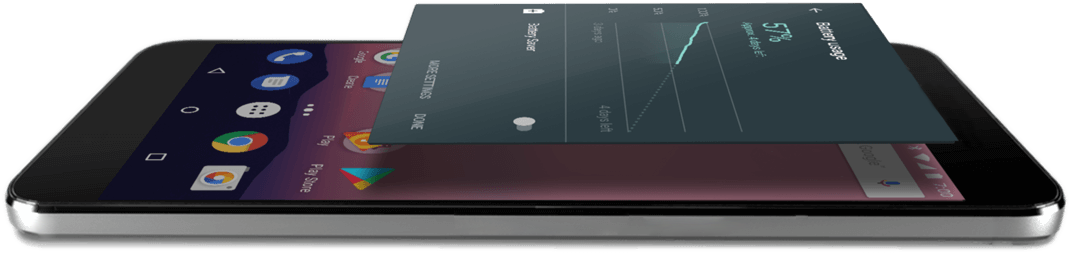
It saves battery with Doze
Doze helps android nougat users to save batteries on the go. It will increase the battery life of your smartphone.
Now you can view two Chrome tabs
It took Apple an entire year to introduce split-screen tab viewing in Safari for iPad users, but Google did it at the same time it introduced multi-window to Android. When using Chrome in multi-window mode, tap on the Menu button and select they super handy option of “Move to other window.” It’s fully acceptable to point and laugh at iOS users if you feel the need.
Drag and drop text, images when in multi-window mode
When using two apps at the same time, you can drag-and-drop text between the two windows. Highlight the text, then long-press on it until the text begins to float. Drag it to a text field in another window, and let go. The same goes for sharing images between two apps.
The lock screen gets a wallpaper of its own
It only took way too many years, but the day has finally come: You can now set a wallpaper specific to your home screen, and a different one for your lock screen. The process to accomplish the once unthinkable feat hasn’t changed much—after selecting an image to set as a wallpaper, you’re shown a new prompt to select where the image will live.

Google added a Clear All button to the recent apps list, only it’s a bit hidden. Instead of placing it at the bottom of your screen when viewing your recent apps, you need to scroll to the top of the list where you’ll find the handy Clear All text. Tap on it, and all apps are closed out. When you’ve closed all your recent apps, a new icon is displayed letting you know there are no recent items.
It now shows from Where you installed APK from?
Android Nougat will now keep track of where an app was installed from. Open Settings then Apps and tap on any listed application. Scroll to the bottom of the page, where you’ll see the source of the app’s installation. For example, if it was installed from the Play Store it will say as much. If it’s something you side loaded, it will state something along the lines of “Installed from Package Installer.”


Comments
Post a Comment